Views: 26
Table of Contents
- 1 Introduction
- 2 The Two Codes — And Why Both Are Mandatory
- 3 What Happens When You Skip the AD Code Registration?
- 4 Step-by-Step: How to Register Your AD Code at Customs
- 5 AD Code Registration: Key Rules and Common Mistakes
- 6 The Correct Sequence for First-Time Exporters
- 7 Updating Your AD Code: When and How
- 8 Understanding EDPMS: The RBI’s Export Monitoring System
- 9 Cost of Getting It Right vs. Getting It Wrong
- 10 Common Scenarios Where the Correct Process Made a Critical Difference
- 11 Frequently Asked Questions
- 12 Conclusion
- 13 Need Help With IEC Registration, AD Code Compliance, and Export Documentation?
Introduction
When an Indian business decides to enter export markets, the first two registrations it obtains are well known: the Import Export Code (IEC code) from DGFT and, often, a GST registration for tax compliance. What most new exporters do not realise is that a third, equally essential step must be completed before the first shipment leaves Indian shores: registering and linking an Authorised Dealer (AD) Code at the customs port through which they intend to export.
The AD Code is not a separate government registration in the way IEC or GST are. It is a unique numeric code assigned by your bank — the bank that will handle your foreign currency receipts — and it must be registered at every customs port from which you export. Without this registration, the customs system cannot process your Shipping Bill, cannot credit IGST refunds to your account, and cannot facilitate the inward remittance of export proceeds in a manner compliant with FEMA.
This guide explains what the IEC and AD Code are, why both are mandatory, how to obtain and link them correctly, and what happens when exporters skip this step.
The Two Codes — And Why Both Are Mandatory
Import Export Code (IEC)
The IEC is a ten-digit alphanumeric code issued by the Directorate General of Foreign Trade (DGFT) under the Ministry of Commerce. It is the foundational registration for any entity engaged in import or export from India.
Without an IEC:
- You cannot file a Shipping Bill at customs for export
- You cannot clear imported goods through Indian customs
- You cannot receive foreign currency remittance for export transactions through banking channels in a compliant manner
The IEC is linked to your PAN and, once issued, is valid for the lifetime of the entity. It requires annual update confirmation on the DGFT portal even if no changes have occurred.
Authorised Dealer (AD) Code
An AD Code is a 14-digit numeric code assigned by a bank that holds a license from the Reserve Bank of India to deal in foreign exchange — called an Authorised Dealer bank. The AD Code uniquely identifies your bank branch for the purpose of foreign exchange transactions related to trade.
When an exporter registers their AD Code at a customs port, the customs system links:
- Your IEC (identifying you as the exporter)
- Your AD Code (identifying the specific bank branch that will receive export proceeds)
- The specific customs port (through which the shipment will move)
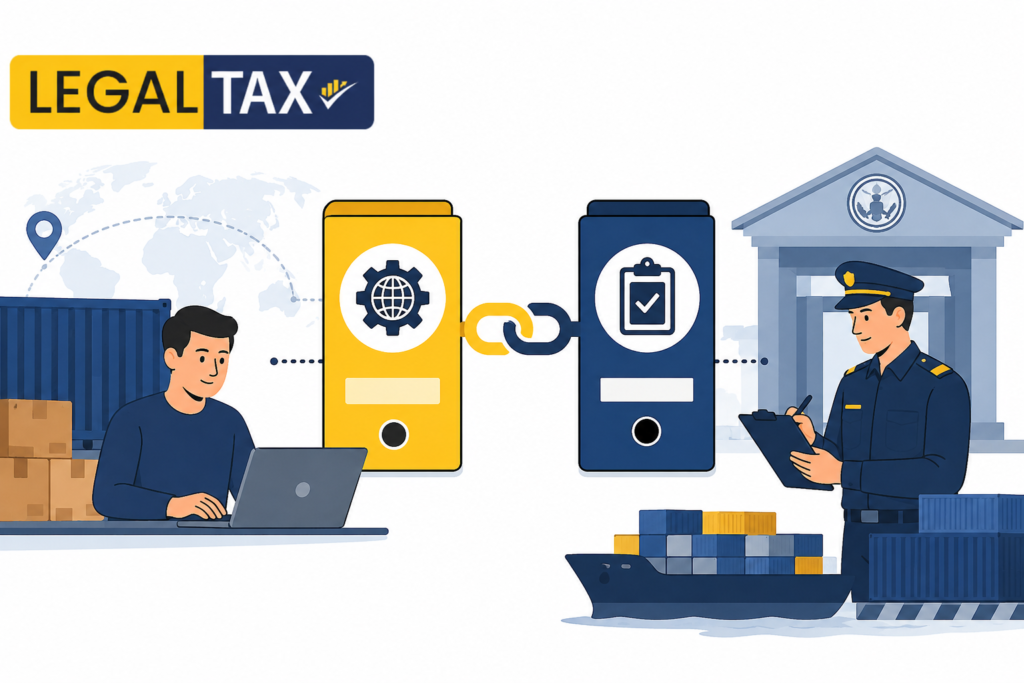
This triangular linkage is what allows customs to auto-populate banking details in the Shipping Bill, route IGST refunds electronically to the correct bank account, and enable EDPMS (Export Data Processing and Monitoring System) tracking of inward remittances — all of which are mandatory under FEMA and GST law.
What Happens When You Skip the AD Code Registration?
The consequences of attempting to export without completing AD Code registration at the relevant customs port are not merely procedural. They directly affect cash flow, refunds, and FEMA compliance.
Shipping Bill Cannot Be Filed
The customs electronic system (ICEGATE) requires a valid, port-registered AD Code to process a Shipping Bill. If your AD Code is not registered at the port from which you are exporting, the Shipping Bill filing will either fail at the data entry stage or be returned with a discrepancy that must be resolved before the cargo can be cleared for export.
IGST Refund Is Blocked
Exporters who export goods with payment of IGST are entitled to a refund of the IGST paid. This refund is processed by the GST system in coordination with the customs system. The refund is credited directly to the bank account linked via the AD Code registered at the port of export. If the AD Code is not registered or is registered incorrectly, the IGST refund cycle is broken — the amount remains stuck in the GST system with no automatic resolution.
FEMA Compliance Failure
Under the Foreign Exchange Management Act, 1999, export proceeds must be received in India within a prescribed time period (currently nine months for most categories of goods) and must be routed through the exporter’s Authorised Dealer bank. The EDPMS — maintained by the RBI — tracks this compliance. If export data in customs is not linked to the correct AD Code, the EDPMS entry is either missing or incorrect, creating an apparent FEMA violation even when the exporter has genuinely received payment.
Bank Cannot Receive and Credit Foreign Remittance
When the foreign buyer makes payment, the SWIFT message or wire transfer arrives at the Authorised Dealer bank. The bank processes the inward remittance against the exporter’s outstanding Shipping Bills. This matching requires the correct AD Code to be on record with ICEGATE. A mismatch or missing registration can delay the crediting of foreign remittance and trigger compliance inquiries from the bank’s trade finance team.
Step-by-Step: How to Register Your AD Code at Customs
The AD Code registration process involves your bank, the customs port authority, and the ICEGATE portal. The process has two components: obtaining the AD Code letter from your bank, and registering it at the relevant customs port.
Step 1: Open or Identify Your Export Current Account
Your AD Code is tied to a specific branch of an Authorised Dealer bank. Before applying, confirm which bank branch will be the primary handler of your foreign exchange receipts. This should be the branch where you maintain your current account for business operations.
Not all bank branches are Authorised Dealers — verify that your branch holds an AD Category-I license from the RBI. All major public sector banks and most large private sector banks have AD Category-I branches.
Step 2: Obtain the AD Code Letter from Your Bank
Approach your bank’s trade finance or forex desk and request an AD Code Letter (also referred to as a Bank Certificate for AD Code). This is an official letter from the bank on its letterhead, issued to you as the account holder, containing:
- Your full entity name (as registered with DGFT for IEC)
- Your IEC number
- The bank’s name and branch name
- The bank branch’s 14-digit AD Code
- The bank branch’s IFSC code and address
- Authorised signatory details and bank seal
This letter is what you present to the customs port for registration. Keep multiple certified copies — you will need one for each customs port where you register.
Documents typically required by the bank to issue the AD Code letter:
- KYC documents of the entity and proprietor/directors
- IEC certificate (copy)
- GST registration certificate (copy)
- Current account statement (to confirm the account is active)
Step 3: Register the AD Code at the Customs Port (Port-Level Registration)
This is the step most commonly skipped or done incorrectly. AD Code registration must be done separately at every customs port through which you export — it is port-specific, not pan-India.
Online registration via ICEGATE:
The primary method for AD Code registration in India is now through the ICEGATE portal (icegate.gov.in). The process:
- Log in to ICEGATE with your IEC credentials
- Navigate to the AD Code Registration section
- Enter your IEC, AD Code (14 digits), bank branch details, and IFSC
- Upload the scanned AD Code letter issued by your bank
- Select the customs port(s) where you wish to register
- Submit the application
The customs port authority reviews the submission and, once approved, the AD Code is activated in the system for that port. Approval typically takes 3 to 7 working days.
Offline registration (for ports with manual processes):
Some ports — particularly smaller inland container depots (ICDs) and air cargo complexes — may still require physical submission of the AD Code letter along with copies of the IEC certificate and other documents, addressed to the Deputy/Assistant Commissioner of Customs at that port. Confirm the current process with the specific port before your first shipment.
Step 4: Verify Registration in ICEGATE
After the registration period has elapsed, log in to ICEGATE and verify that your AD Code appears as active against your IEC for the relevant port. You can also confirm with your customs house agent (CHA) before filing the first Shipping Bill that the AD Code registration is reflected correctly in the system.
Step 5: Repeat for Each Additional Export Port
If you export through multiple ports — for example, both JNPT (Nhava Sheva, Mumbai) and Chennai Sea Port — you must complete the AD Code registration at each port separately. A registration at one port does not carry over to another. This is a common source of problems for exporters who expand to new ports without completing the registration.
AD Code Registration: Key Rules and Common Mistakes
One AD Code Per IEC (at Each Port)
An IEC holder can register only one AD Code at a given customs port at any time. If you change your primary bank or bank branch and wish to update the AD Code at a port, you must apply for a modification and submit a fresh AD Code letter from the new bank branch.
The AD Code Must Match the Receiving Account
The bank account into which foreign remittances will be credited must be the same branch whose AD Code is registered at customs. Exporters sometimes receive payment into one bank branch but have the AD Code of a different branch registered — this creates an EDPMS mismatch that requires manual reconciliation.
AD Code Registration Is Not Required for Import-Only Operations
AD Code registration at customs is specifically required for export operations (for the IGST refund linkage and FEMA compliance). Importers making outward foreign remittances for import payments operate under a different process (Form A1, etc.) and do not register an AD Code at customs in the same manner. This guide covers the export-side process.
GST and IEC Details Must Be Consistent
The entity name, PAN, and address on your IEC, GST registration, and bank account must be consistent. Discrepancies between these documents are the most common reason for rejection of AD Code registration applications by customs.
⚠️ Did You Know? Thousands of Indian exporters face delays, payment holds, and DGFT compliance issues every year — not because of problems with their shipment, but because they skipped one critical step before their first export: linking their IEC Code with an AD Code at Customs. This procedural gap can freeze your shipping bill, block your IGST refund, and stall your foreign remittance — sometimes for months.
The Correct Sequence for First-Time Exporters
The correct operational sequence for any Indian entity beginning export operations is:
- Obtain IEC from DGFT — apply online at the DGFT portal with PAN, bank certificate, and entity documents
- Complete GST registration — if not already registered, obtain GSTIN for export transactions
- Open an export current account with an Authorised Dealer bank — or designate an existing current account for export proceeds
- Obtain the AD Code letter from the bank — from the trade finance/forex desk
- Register the AD Code at each intended customs export port via ICEGATE (or offline submission where required)
- Appoint a Customs House Agent (CHA) — your CHA will file Shipping Bills and should confirm that your AD Code registration is active before filing
- Complete the first export shipment — Shipping Bill, Let Export Order, EGM confirmation
- Track IGST refund and EDPMS closure — confirm that IGST refund is credited and that the export transaction is closed in EDPMS within the prescribed FEMA period
Steps 4 and 5 are the ones most commonly skipped or delayed by first-time exporters. They must be completed before the first Shipping Bill is filed, not after.
💡 Practical Tip: Complete your AD Code registration at the customs port at least 7 to 10 working days before your first intended shipment date. Port-level approval is not instantaneous, and last-minute registration attempts routinely delay first shipments. If you are exporting through a CHA, share your IEC certificate and AD Code letter with them at the earliest — they can often assist with or expedite the port registration process.
Updating Your AD Code: When and How
Change of Bank or Branch
If you change your Authorised Dealer bank or branch after the initial registration, you must:
- Obtain a fresh AD Code letter from the new bank branch
- Apply for AD Code modification at each customs port where you are registered
- Ensure all pending IGST refunds and EDPMS entries against the old AD Code are reconciled before the switch
Changing your AD Code mid-shipment cycle — that is, while Shipping Bills from an earlier period are pending for IGST refund or EDPMS closure — is operationally complex and should ideally be done at the start of a new financial year with the assistance of your CA, CHA, and bank.
Change of IEC-Linked Details
Any change in your IEC (entity name, address, bank details) must be updated on the DGFT portal first. A change in the IEC master data may require fresh AD Code registration or modification at each port. Check with your CHA and bank after any IEC update.
Understanding EDPMS: The RBI’s Export Monitoring System
The Export Data Processing and Monitoring System (EDPMS) is an RBI platform that tracks:
- Every Shipping Bill filed at Indian customs (representing an export shipment)
- The corresponding inward foreign remittance received by the exporter
- The time elapsed between shipment and payment receipt
The EDPMS entry for each Shipping Bill is created automatically from customs data when the Shipping Bill is filed. The closure of the EDPMS entry — confirming that payment has been received — happens when the Authorised Dealer bank processes the inward SWIFT remittance and matches it against the open Shipping Bill.
This matching is only possible if:
- The correct AD Code (identifying the correct bank branch) is registered in ICEGATE against the IEC
- The bank branch’s internal trade finance system receives the inward remittance and correctly reports it against the relevant Shipping Bill numbers
An incorrect or missing AD Code creates an EDPMS entry that can never be closed by the bank, resulting in a technical FEMA violation — export proceeds appear unrealised even when the exporter has received payment. Resolving such entries requires written correspondence with the RBI through the Authorised Dealer bank, which is time-consuming.
Cost of Getting It Right vs. Getting It Wrong
| AD Code Registration Completed | AD Code Registration Skipped | |
|---|---|---|
| Time to complete | 3–7 working days | Zero (but deferred) |
| Shipping Bill processing | Smooth | Fails or is delayed |
| IGST refund | Credited automatically | Blocked |
| EDPMS status | Closed on receipt of payment | Open / unreconciled |
| FEMA compliance | Maintained | Apparent violation |
| Bank processing of inward remittance | Matched to Shipping Bill | Delayed / manual reconciliation |
| Cost to resolve issues post-shipment | Zero | ₹20,000–₹2,00,000+ (professional fees, penalties, delays) |
The AD Code registration process costs nothing in government fees and takes a few working days. The cost of shipping a consignment without it — in terms of blocked refunds, FEMA notices, and bank compliance inquiries — is substantially higher.
Common Scenarios Where the Correct Process Made a Critical Difference
Scenario 1: The First-Time Exporter Who Did Not Register the AD Code A Mumbai garment exporter obtained their IEC and GST registration and shipped their first container through JNPT without completing AD Code registration. The Shipping Bill was filed by the CHA (who assumed registration was complete), but the IGST refund of ₹4.2 lakh was not credited for over five months. The refund was blocked because the customs system had no valid AD Code for the IEC at JNPT. Resolution required submitting the AD Code registration, waiting for approval, and then manually following up with the GST and customs authorities for refund reprocessing.
Scenario 2: The Multi-Port Exporter A Pune engineering parts manufacturer had correctly registered their AD Code at Nhava Sheva (JNPT) and had been exporting successfully for two years. When they began exporting through Chennai Sea Port for the first time, their CHA assumed the existing registration was port-agnostic. The first Shipping Bill at Chennai failed at the system level. The manufacturer had to urgently obtain a second AD Code letter from their bank and complete the Chennai port registration — delaying the shipment by 11 days and incurring additional warehouse storage charges.
Scenario 3: The Correct Sequence A Surat textile exporter, advised by their CA and CHA before beginning operations, obtained their IEC, then their AD Code letter from their bank, then registered the AD Code at both JNPT and ICD Surat before their first shipment. When the first Shipping Bill was filed, it processed without errors, the IGST refund of ₹1.8 lakh was credited within 30 days of the export, and the EDPMS entry was closed within 60 days of payment receipt. The exporter had complete, audit-ready FEMA compliance from day one.
Frequently Asked Questions
1. What is the purpose of linking an IEC Code with an AD Code?
Linking an Import Export Code (IEC) with an Authorized Dealer (AD) Code allows Indian Customs to identify the bank through which export proceeds will be received. This linkage is mandatory for exporters to complete customs clearance and shipping bill processing at ports and airports.
2. What is an AD Code in export business?
An AD Code is a 14-digit code issued by an authorized bank branch approved by the Reserve Bank of India (RBI). It helps Customs track export transactions and ensures that foreign exchange earnings are received through the designated bank account.
3. How can an exporter link the IEC Code with the AD Code?
The exporter must obtain an AD Code letter from the bank and submit it through the Customs ICEGATE portal or the customs authority at the relevant port. After verification, Customs links the AD Code with the exporter’s IEC for export operations.
4. Is AD Code registration required at every port?
Yes. Although the IEC remains the same nationwide, AD Code registration is generally required separately at each customs port, airport, ICD, or seaport from where exports are being made. Exporters should ensure registration at all intended export locations.
5. What documents are needed for AD Code registration?
Commonly required documents include the IEC certificate, GST registration, PAN card, bank certificate containing the AD Code, authorization letter, and KYC documents. Specific requirements may vary depending on the customs location.
6. Can an exporter change the linked AD Code later?
Yes. If an exporter changes the bank account or banking branch used for export transactions, a new AD Code can be registered with Customs. The exporter must submit updated bank documents and complete the prescribed customs registration process before using the new AD Code for exports.
Conclusion
The AD Code registration at customs is not a technicality — it is the foundational linkage that makes your export operations legally compliant, financially functional, and administratively smooth. Without it, your IGST refunds are blocked, your FEMA compliance is at risk, and your bank cannot properly process foreign remittances. With it, your first shipment and every subsequent shipment flows through the system exactly as it should.
Obtain your AD Code letter from your bank before you finalise your first shipment date. Register it at every port you intend to use. Verify the registration is active before your CHA files the Shipping Bill. And ensure that the same bank account receives every foreign remittance for that export — complete the EDPMS loop cleanly.
Register early. Link correctly. Export with confidence.
Need Help With IEC Registration, AD Code Compliance, and Export Documentation?
🟡 LegalTax.in provides complete IEC Registration, GST Registration for Exporters, DGFT compliance, and export documentation services for businesses and founders across all sectors in India.
Export and Import Registration Services
👉 IEC Registration at LegalTax.in 👉 GST Registration and Filing 👉 Private Limited Company Registration 👉 LLP Registration 👉 MSME / Udyam Registration 👉 Startup India Registration
IP Protection Services
👉 Trademark Registration at LegalIP.in 👉 Trademark Objection Reply 👉 Design Registration at LegalIP.in 👉 Patent Registration at LegalIP.in 👉 Copyright Registration at LegalIP.in
IT and Digital Services
👉 Website Development 👉 SEO Services 👉 Social Media Marketing 👉 Lead Generation
Call Now: +91 9711939395 Email: info@legaltax.in Free Consultation: Monday to Saturday, 9 AM to 6 PM

I’m Aryan Yadav, passionate about SEO and Digital Marketing with a strong interest in helping businesses grow online. I enjoy learning new strategies, exploring digital trends, and creating ideas that deliver value. I believe in continuous growth, creativity, and building meaningful results through smart work and dedication.
Our Clients